

Control spend with business expense cards
Give your team the freedom to spend—securely and efficiently. With physical, virtual, single-use, and travel-ready cards, all unified with Capture Expense. Say goodbye to traditional banking limitations and hello to business expense cards powered by Pliant.
- Issue physical and virtual cards
- Fully customisable spend limits
- Multi-level controls and permissions
- Full control with built-in approval flows
- Skip the reimbursement process

Intelligent brands taking total control of company spend







Simplify business spend, stay in control of your expenses

Instant cards, instant
control
Virtual, physical or single use—in seconds
Virtual, physical, or single-use business cards in seconds. Create a payment card issued to the right person instantly—for everyday corporate expense or specific project spend.
Built for every team
Allocate cards by project or department and set custom limits to stay on budget.
Track automatically
Sync every transaction for real-time visibility across all spending.

Smart spend limits, full
flexibility
Tailored for every cardholder
Set limits by day, project, order, or transaction—and update them anytime to control employee spending.
Custom rules for full control
Control where and how cards are used with instant permission updates across corporate expenses and subscriptions.
Approvals that move fast
Approve new cards or limit changes in seconds.

Real-time insights, complete visibility
See spend as it happens
See transactions across all expenses—including purchases and recurring subscriptions—without waiting for month-end reports.
Automated receipt matching
Receipts upload and reconcile automatically inside your accounting system for accurate reporting and streamlined expense management.
Audit-ready at any time
Every update is logged for full visibility, traceability, and peace of mind.

Capture Expense has definitely made processing expenses easier for us. We’ve saved about a day and a half each month for our colleague who processes our expenses, which is huge. The app is straightforward and really convenient for the team to use, and the accuracy has been spot on. The whole process is much quicker and smoother now, and it’s great not having to deal with old manual spreadsheets anymore. It’s just a better way of doing things.
– Andy Carr, CFO


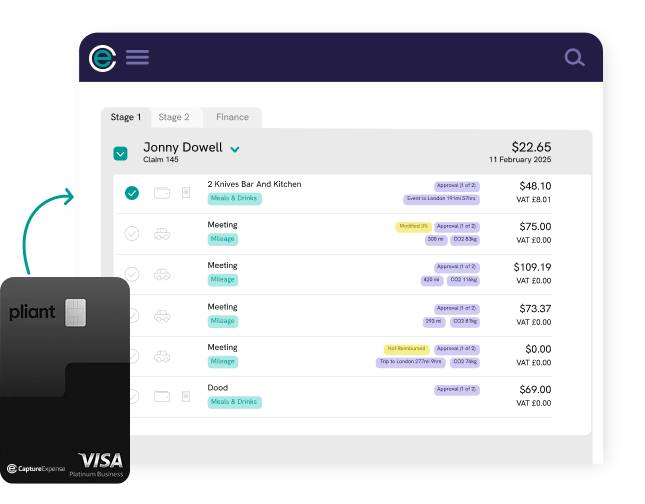
Spend anywhere with full control
Make payments in every country that Visa is accepted, all from one platform. Our business expense cards let you spend globally while staying in full control locally.
Spend and get billed in the same currency, cutting out conversion costs and protecting your business from unfavourable foreign exchange rates. No hidden fees, no surprise charges—just smooth international spending that keeps things simple wherever your teams go.
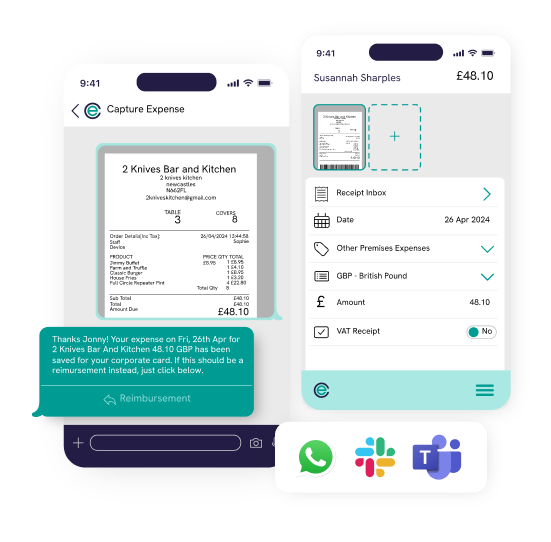
Snap receipts at the point of spend
Snap, upload, and move on. Capture receipts instantly through the Capture Expense app, WhatsApp, Teams, Slack, or upload on desktop—whatever suits your team.
Each transaction made with an employee business expense card is automatically matched to the right receipt using AI and OCR technology—saving your team time and reducing errors.
Missing receipts are spotted instantly, and automated reminders can be enabled to keep teams on track and remove the need for manual follow up emails.
Find out more about Capture Expense
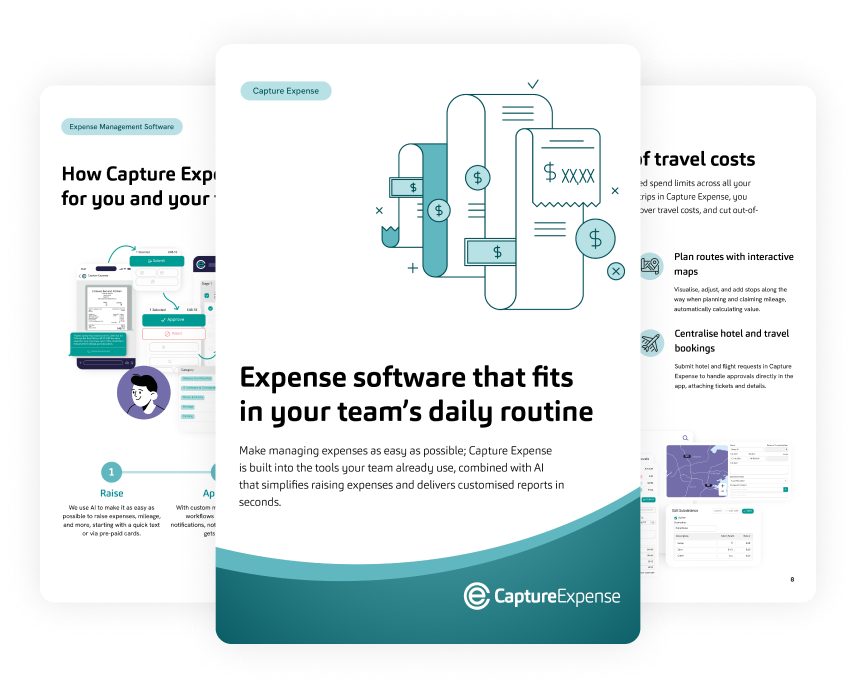
We’re so much more than just an app to track your business expenses. From saving days reconciling your credit cards to getting customised insights in an instant with your finance copilot, here’s everything you need to know about Capture Expense.
How Capture Expense and Pliant work together
See how Capture Expense and Pliant come together to make corporate expense easier—from instant business expense cards and credit card controls to automated reconciliation within your accounting system.

1. Create your card
Choose the card type that fits your needs—virtual, single-use, physical, or premium. Set the currency and validity period, then assign it to the right team member or project.
2. Set limits and spend controls
Decide how and where each card can be used. Define spending categories, date ranges, or transaction limits, and adjust them anytime to keep budgets on track and spending compliant.
3. Spend and track with ease
Start spending straight away. Every transaction syncs automatically, whether its employees spend online, pay for subscriptions, or managing supplier payments.
Business expense card FAQs
What are business expense cards?
Business expense cards are modern Visa corporate credit cards intended for business expenses. The cards are provided by our partner Pliant through their easy-to-use card management platform, enabling instant issuance with granular card controls, real-time reporting, and seamless integration into the Capture Expense platform.
What are the available credit limits?
Our partner, Pliant, offers high interest-free credit limits with flexible billing cycles and payment terms. The credit limit is subject to approval from Pliant and is determined through their onboarding and credit assessment process.
Can I use my existing corporate bank account with Pliant?
Yes, you can easily use both your existing corporate bank account and Pliant cards within Capture Expense. You can reconcile transactions from both Pliant cards and your existing corporate cards at the same time.
Capture Expense connects to your existing cards through our MoneyHub integration or a Secure File Transfer Protocol (sFTP) transaction feed, allowing receipts to be seamlessly matched with transactions in real time.
How do I request additional funds?
Card holders can easily request increases to their card limit via the Pliant website or mobile app—with any updates reflected in real-time.
Organisations can set-up delegated authority structures so that card limit requests can be approved by different people based on the limit increase and the set-up in the platform.
What are virtual cards?
Virtual cards work just like physical ones, the only difference is there’s no plastic. All your card details live securely in Pliant, ready to use whenever you need them.
They’re available instantly so there’s no waiting for delivery or worrying about cards getting lost. You can create as many as you need for different teams, suppliers, or one-off purchases, each with its own limits and rules.
They’re also compatible with Apple Pay and Google Pay, making it easy to pay on the go and track spending in real time.
Do pre-funded credit cards function the same way as prepaid debit cards?
Not exactly—pre-funded credit cards have higher merchant acceptance when compared to prepaid debit cards especially for certain merchants, for example, car hire companies.
With Pliant credit cards, companies can optionally issue their employees cards with a ‘Total Limit’, which caps the amount the employee can spend.
In practice, this functions like a prepaid debit card, but without manual work to preload cards and with higher merchant acceptance.
Can I use a business card for personal expenses?
Employee business expense cards are generally for work-related expenses only. Capture Expense makes this simple by applying built-in spending controls that prevent cardholders breaking policy with their spending.
Will users receive a notification when their account balance is low?
Yes, card holders receive multiple notifications when their account balance is running low and can see their available limit or pre-funded balance in real-time. If needed, customers are able to deposit funds into their Pliant account in real-time.
What do I get with a Pliant premium card?
With a premium business expense card, enjoy unlimited access to more than 1,000 airport lounges worldwide, giving you space to work, relax and prepare for business in comfort!
Extra features alongside your business expense cards

AI Functionality
Embed AI tools that truly make a difference across your expense management process.

Mobile App
Submit, review, and approve expenses on the go with the Capture Expense mobile app.

Vehicle Mileage
Automatically calculate mileage with destination and end-point predictions, approved fuel rates, and carbon tracking.