AI in Expense Management
AI that reads, checks, and codes every expense claim
Capture Expense applies AI in expense management at every stage: expense reports, reading receipts, auditing claims, VAT coding, approvals, reporting, and fraud detection.
Trusted by finance teams at
- 4.9/5
75% less time on manual expense processing
The AI reads each receipt, builds the claim and codes it, so finance staff no longer key in data.
Fake and duplicate receipts caught before payment
Capture Expense checks each receipt for AI-generated or altered images and flags duplicate claims for review.
Spend answers in seconds without a spreadsheet
Ask the finance copilot anything like "What did marketing spend last quarter?" and get a formatted report back.
“Capture Expense has cut everything in half. The chasing, the checking, the back-and-forth. Approvals run on their own, the mobile app means people can submit on the go, and the whole thing just fits around the way we operate.”
-
3x
faster approvals
-
24x
faster processing
User Copilot
Your team submits expenses from WhatsApp, Slack or Teams
Capture Expense connects to the three chat apps your staff already use every day, so a claim becomes a receipt photo and a line of text.
- Snap the receipt and send it with a short message in plain English
- The AI reads the image and creates the claim
- Categories are applied before the claim reaches an approver
- The claim is submitted without the spender opening a separate app
Finance Copilot
Ask plain-English questions and get a report
The finance copilot answers natural-language questions about your expense data and formats the result, with no filters or pivot tables.
- Ask by department, category, period or person: "Show travel expenses by department"
- Results come back formatted the way you asked for them
- A board question gets answered from the chat panel, not from a spreadsheet export
Building the case for AI in expense management?
Capture Expense covers you at every stage of spend. From saving days reconciling your credit cards to getting customised insights in an instant with your finance copilot, here’s everything you need to know about Capture Expense.
Download the brochure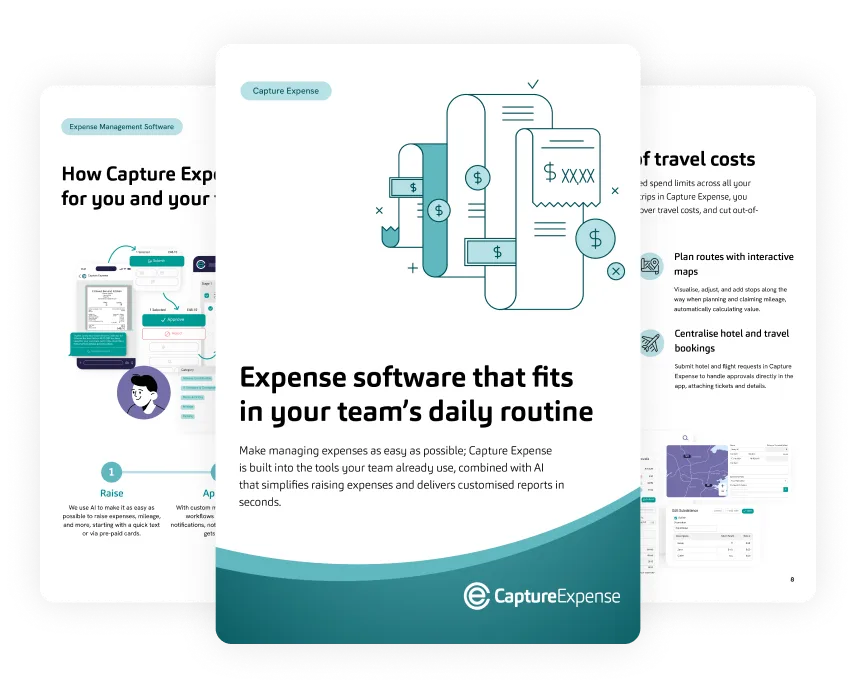
Smart Audit
Compliant claims move on. Anomalies stop for a person.
Smart Audit reads each claim against your rules, the spender's history, and the claim's context so compliant claims move forward and anomalies are flagged for review.
- You write the rules, for example "auto-reject alcohol claims"
- Claims that pass every check move forward automatically
- Anything that does not look right is flagged for review
- Policy controls applied at the point of claim reduce spend by 44% for teams using AI in expense management
Reconciliation and VAT coding
Card, receipt, and out-of-pocket spend reconciled in seconds
Connect your bank and attach receipts. Capture Expense matches card payments, receipts, and out-of-pocket spend and assigns the accounting category and VAT code from your company setup.
- No digging through statements or spreadsheets to match transactions
- No manual corrections to miscategorised expenses
- Matching runs in seconds instead of hours or days of manual reconciliation
- Teams using AI in expense management see a 34% increase in VAT claim success
What teams using AI in expense management see
- 75%
- overall time saved by replacing manual systems
- 60%
- reduction in repetitive tasks and admin
- 34%
- increase in VAT claim success
Where the AI stops
The AI flags and codes. Your approvers make the final call.
This is what Capture Expense's AI decides on its own and what it passes to a person.
-
Fraud detection reads for AI-generated images and manipulated receipts, which image generators have made easier to produce and harder to spot by eye
-
Smart Audit applies the rules you write and flags anything that doesn't look right for review
-
Flagged claims wait for a person to review them
-
Your data is never used to train public AI models
Three checks run on every claim before you see it
-
Step 1
Image read and claim created
The AI reads the receipt photo, creates the claim and fills in the fields the spender would otherwise type.
-
Step 2
Category and VAT code matched
Each receipt and card transaction gets the accounting category and VAT code from your setup, so you make no manual corrections.
-
Step 3
Fraud and duplicate check
The image is tested for AI generation or manipulation, and the claim is checked against history for duplicates.
AI in expense management FAQs
What does Capture Expense’s AI automate?
How do employees submit expenses with AI?
Does the AI approve expenses on its own?
How does Capture Expense detect fake or duplicate receipts?
Can Capture Expense apply VAT codes and categories automatically?
How is our expense data secured in Capture Expense?
Can't find what you're looking for? Talk to us and we'll answer within a working day.