Expense automation
Expense automation from receipt to ledger
Automated expense management software that turns a receipt photo into a claim, applies policy rules before submission and checks 100% of expense lines with Smart Audit. Routine claims never reach an approver, and approved claims post to your ledger already coded.
Trusted by finance teams at
- 4.9/5
100% of lines checked at submission
Smart Audit reviews every expense line, so only exceptions reach a person.
Claims code themselves
Map a category to its nominal code once and every claim is coded automatically from then on.
Approved claims post to your ledger
Native connectors cover six finance systems, with an export library for Sage and more.
“Now I’m spending maybe 20 minutes every couple of days on approvals, and reconciliation takes minutes rather than a full day.”
-
25 hours
a month saved on approvals
-
50x
faster reconciliation
Receipt capture
Automated expense reporting from a receipt photo
Optical character recognition (OCR) reads the receipt and fills in the expense report, and your team confirms the details.
- Send a receipt photo by WhatsApp, Microsoft Teams or Slack with nothing to install
- OCR fills in the supplier, date, gross amount, VAT and a suggested category
- The claimant confirms the details and adds the business purpose
- Card transactions wait for their receipt and match automatically
Policy controls
Policy rules apply before a claim is submitted
An automated expenses system should stop a breach before it reaches finance. Capture Expense flags it while the employee drafts the claim.
- Set each rule as a warning or a mandatory stop by role, team, location and category
- A mandatory stop blocks submission until the employee fixes the claim
- Rules apply to every entry method, so a mobile claim is checked like a desktop claim
- Limits, duplicates, receipt requirements and the correct rate for the travel date are checked
Spend limit amount
£15.00
If you are not staying overnight then your spend limit is £10. If staying overnight, you will have an increased spend limit of £25.
- Policy and spend limits for the category, person and trip
- VAT receipt present and the VAT amount reclaimable
- Duplicate, altered or AI-generated receipts
- History and context: weekends, old claims, mismatched amounts
Building the case for expense automation?
We’re so much more than that. From saving days reconciling your credit cards to getting customised insights in an instant with your finance copilot, here’s everything you need to know about Capture Expense.
Download the brochure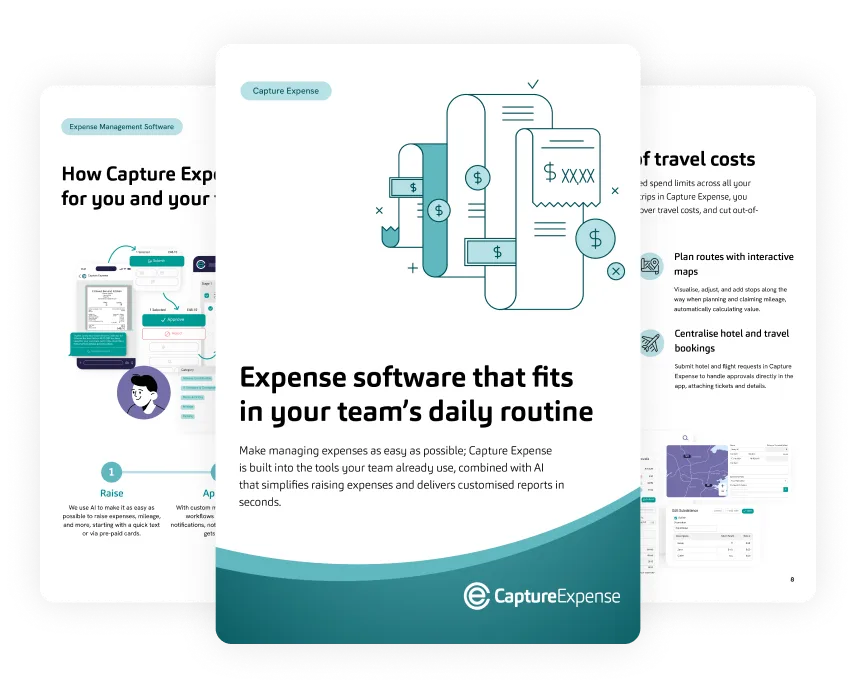
Smart Audit
Every line is audited so only exceptions need a person
Smart Audit reads the receipt, claim details, approval history, VAT position and your policy together.
- Duplicate receipts are caught across users, entities and time
- Out-of-policy amounts, categories and timing are flagged, including weekend spend and claims over 3 months old
- VAT receipt presence and VAT treatment are checked, with the reclaimable amount shown
- Altered, fake or AI-generated receipts are weighed against the claimant’s own history
- Each claim is approved, rejected or escalated with the reasons attached
Jonny Dowell
Claim 145
£199.39
11 February 2025
-
Meeting
Mileage
Modified 6%450 miCO2 124 kg
£112.50
VAT £0.00
-
M&S
Meals and drinks
Duplicate expenseIncomplete
£26.80
VAT £0.00
-
2 Knives Bar and Kitchen
Meals and drinks
Approval 1 of 2Event to London, 191 mi
£48.10
VAT £8.01
-
Tamworth Burger King
Missing category
IncompleteWeekend
£11.99
VAT £0.00
Rejected Duplicate expense
2 Knives Bar and Kitchen
Event and client meet, 307 mi, 9 hrs
£20.00
VAT £8.01
- Receipt read and matched to the card line
- VAT receipt present, £8.01 reclaimable
- Same merchant, date and amount as claim 145, line 3
Approval routing
Approvals follow your reporting lines and value limits
Expense management automation moves each claim to the right approver, so the queue holds only decisions that need one.
- Claims under a set amount with a receipt can auto-approve
- Line manager approval comes first, with finance added as a second stage
- Claims above a set value move to a director or senior finance approver
- Out-of-office delegation covers set dates
- Approvers decide from the mobile app, web, Microsoft Teams, WhatsApp or email
Jonny Dowell
Claim 145
£48.10
11 February 2025
-
Approved
Stage 1
Jonny D
-
SB
Pending
Stage 2
Sophie B
-
SS
Pending
Finance
Susannah S
Enable Out of Office
Delegate Expense Approval to (includes existing approvers only)
Choose a delegate...
Only During the Following Date Range: 17 Feb 2025 to 27 Feb 2025
Manual expense reporting compared with automated expense reporting
What changes, task by task, when you move to an automated expense reporting system.
-
Data entry
- Manual process
- Manual data entry
- Capture Expense
- Automated expense report creation
-
Approvals
- Manual process
- Delayed approvals
- Capture Expense
- Structured, real-time approval workflow with AI approvals
-
Receipts
- Manual process
- Lost or missing receipts
- Capture Expense
- Smart receipt management with mobile capture
-
VAT
- Manual process
- VAT calculated manually
- Capture Expense
- Tax-ready records and simplified VAT reclaims
-
Policy
- Manual process
- Inconsistent policy enforcement
- Capture Expense
- Custom, built-in controls and spending rules
-
Visibility
- Manual process
- Limited visibility of spend
- Capture Expense
- Real-time dashboards and reporting
AI applies your rules to every claim
Your team sets the policy rules and approval thresholds. Anything Smart Audit cannot resolve passes into your existing approval process.
-
Smart Audit
Checks each claim against policy, VAT rules and history, then approves, rejects or escalates it with reasons attached. Explore Smart Audit
-
User Copilot
Submit receipts, raise mileage and get answers from WhatsApp, Microsoft Teams or Slack. Explore User Copilot
-
Finance Copilot
Ask about company spend and get a chart, table and summary back without exporting to Excel. Explore Finance Copilot
Your expense data is never used to train public AI models, and conversational features can be switched off.
Finance teams that cut expense admin
Results are examples from published customer stories and vary by organisation.
Outcomes from automated expense management
- 75%
- Time saved
- 44%
- Less spend
- 60%
- Less admin
- 34%
- More VAT reclaimed
Integrations
Posts to the finance systems you already run
Approved claims post as coded transactions with the right VAT, and Capture Expense integrates with 50+ systems.
See all integrations- Native connectors: Xero, QuickBooks Online, Dynamics 365 Business Central, NetSuite, SAP ByDesign and iplicit
- Export library: Sage 50, Sage 200, Sage 300, Sage Intacct, Sage X3, Unit4, Xledger and more
- Payroll and HR: Cintra and Cezanne
- Full audit trail, re-export and revert without manual fixes
Integrations
Frequently asked questions
What is expense automation software?
How does expense automation work from receipt to ledger?
What does Smart Audit check?
Can employees submit expenses from WhatsApp, Microsoft Teams, or Slack?
How are expense policies enforced?
Which accounting systems does Capture Expense integrate with?
Does Capture Expense work with payroll and HR systems?
Is my expense data used to train public AI models?
Can't find what you're looking for? Talk to us and we'll answer within a working day.
More of what Capture Expense does
-
Vehicle mileage
Journeys calculated from postcodes and paid at HMRC or Revenue rates.
-
Finance Copilot
Ask about company spend and get a chart, table and summary back.
-
Corporate cards
Import card transactions, match receipts automatically and post to the ledger with the right VAT.
-
Mobile app
Native iOS and Android apps to capture, claim, approve and administer on the move.
Book a demo or take the product tour
See expense automation from receipt to ledger in a live demo or a self-guided tour.