Expense Management Software for Medium Business
Every expense claim checked, coded, and posted. Built for medium businesses.
Capture Expense is expense management software for medium business finance teams in the UK and Ireland. It replaces receipt chasing and manual re-keying with automated approvals, VAT checks, and direct ledger sync.
Trusted by finance teams at
- 4.9/5
Ready for claims in days
A structured roll-out plan and UK-based support take most organisations to full roll-out in four to six weeks.
Pay only for active users
Billed per active user, so only people who submit or approve an expense in a month are charged.
Post to your ledger without re-keying
Approved claims sync natively with six accounting systems and export to the Sage range as a CSV (comma-separated values) file.
Approval workflows
Get every claim to the right approver without chasing
Set your multi-stage and line manager routes once and every claim follows them automatically.
- Approve on mobile, web, Microsoft Teams, or WhatsApp
- Smart Audit clears low-risk claims, so approvers act on the exceptions
- Receipts, alerts, and Smart Audit reasons sit beside every line
- Delegate approvals for the dates you’re out of office
- See who has approved and who is still pending at each stage
Jonny Dowell
Claim 145
£48.10
11 February 2025
-
Approved
Stage 1
Jonny D
-
SB
Pending
Stage 2
Sophie B
-
SS
Pending
Finance
Susannah S
Enable Out of Office
Delegate Expense Approval to (includes existing approvers only)
Choose a delegate...
Only During the Following Date Range: 17 Feb 2025 to 27 Feb 2025
Policy control
Stop out-of-policy spend before it reaches an approver
Spending limits and policy alerts apply while the claim is being built—not after it lands in an approval queue.
- Your finance team sets the spending limits and approval stages
- Spenders see an out-of-policy alert before they submit
- Duplicates are flagged against earlier claims
- Claims over three months old are flagged
- Finance owns the rules and the final decision
Draft expenses
Alerts appear as the claim is built, so problems are fixed before anyone approves.
Building the business case for medium business expense management software?
Capture Expense covers you at every stage of spend. From saving days reconciling your credit cards to getting customised insights in an instant with your finance copilot, here’s everything you need to know about Capture Expense.
Download the brochure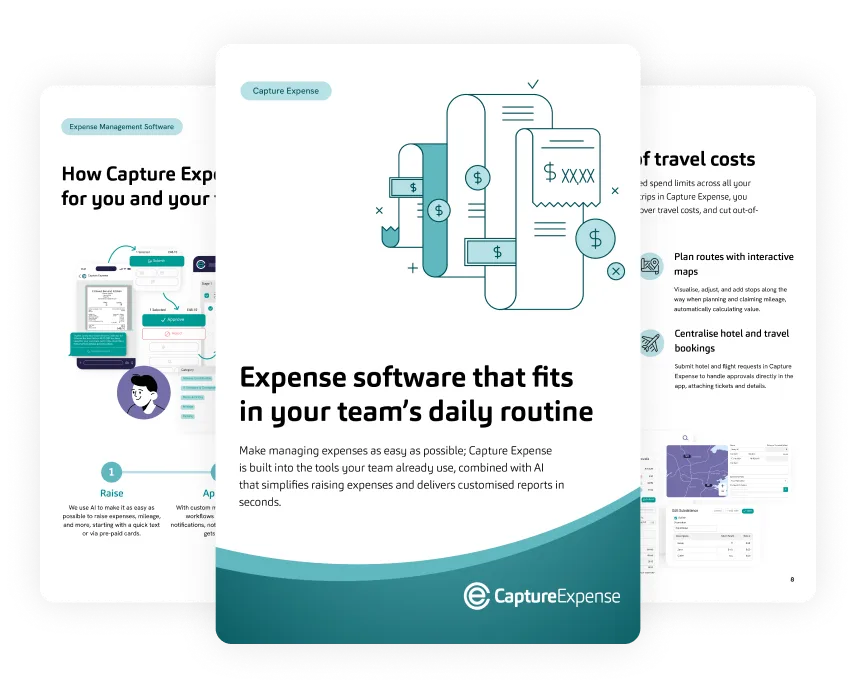
Accounting sync
Post coded and VAT-checked claims straight to your ledger
Approved claims post as coded transactions, so nobody in finance has to re-key them.
- Map each expense category to its nominal code once
- Nominal codes, cost centres, and tracking categories map automatically in Xero
- VAT is flagged line by line at the point of capture
- Validation errors show in Capture Expense, so you fix them and re-export
- Sage 50, Sage 200, Sage 300, Sage Intacct, and Sage X3 connect through a dedicated CSV export
Integrations
Cards and mileage
Reconcile cards and pay mileage at the right rate
Card transactions match to receipts automatically and mileage is calculated from postcodes.
- Import transactions from the cards you already use
- Matched receipts post with the correct VAT
- Issue virtual, physical, and single-use Visa cards through Pliant
- Every mile is paid at the HM Revenue & Customs (HMRC) or Irish Revenue rate
- Licence, MOT, road tax, and insurance are checked before a mileage claim is paid
AI that audits claims, reports on spend, and works in chat
-
Smart Audit
Checks every claim against your policy, VAT rules, and claim history and shows the reason for each flag.
Go to Smart Audit -
Finance Copilot
Ask about company spend in plain English and get the answer as a report.
Find out about Finance Copilot -
User Copilot
Spenders submit receipts and log mileage in WhatsApp, Microsoft Teams, or Slack with nothing to install.
See User Copilot in action
“The system is easy to use, the support team are fantastic, and it’s saved me so much time.”
-
30
active users across six UK entities
-
100%
paperless
Set up Capture Expense in three steps
-
Step 1
Connect your finance system
Choose native sync, a file export, or the Capture Expense API (application programming interface).
-
Step 2
Map your nominal codes
You do it once, and every claim is coded automatically after that.
-
Step 3
Go live
Business and Enterprise plans get a named implementation lead through to go-live, with UK-based support.
How finance teams use Capture Expense
Results from individual customers. Yours will depend on your claim volumes and set-up.
Connects to the systems your finance team already runs
Native sync for Xero, QuickBooks Online, Dynamics 365 Business Central, NetSuite, SAP Business ByDesign, and iplicit, a CSV export for the Sage range, and connections to your payroll, HR, card, and messaging tools.
-
 Xero
-
 QuickBooks
-
 Business Central
-

-

-

-

-

-

-

-

-

-

-

Use native sync, a file export, or the API—whichever fits your stack.
See all integrationsSecurity
Security your finance team can check
The security and data protection detail buyers ask for, before the first call.
- Certification and registration: Cyber Essentials certified and Information Commissioner’s Office (ICO) registered
- Data protection: encrypted in transit and at rest
- Access control: role-based access, with Microsoft Entra ID single sign-on (SSO) from the Business plan
- AI and your data: never used to train public AI models, and conversational features can be switched off


Explore more Capture Expense features
-
Smart Audit
Check every claim against your policy, VAT rules, and claim history.
-
Approval workflows
Multi-stage routes, line manager approval, and delegation.
-
Card reconciliation
Import card transactions and match receipts automatically.
-
Mileage tracking
Mileage from postcodes, paid at the HMRC or Revenue rate.
See how Capture Expense would run your expense claims
Capterra Best Ease of Use and Best Value 2026. Software Advice Best Customer Support and Most Recommended 2026. Rated 4.9 out of 5 on Capterra.