Enterprise Expense Management Solutions
Enterprise expense management from claim to ledger in one system
Capture Expense is enterprise expense management software that checks every claim with Smart Audit and runs multi-entity approvals, card spend, and enterprise resource planning (ERP) posting in one system, with entity-specific VAT and general ledger (GL) codes and a full audit trail on every action.
Trusted by finance teams at
- 4.9/5
Pricing built for enterprise
Billed per active user, so only people who submit or approve an expense in a month are charged.
Approval routes that follow your structure
Set workflows by team, role, or region, with centralised approval across linked organisations.
One audit trail across every claim
Every action is logged and Smart Audit checks each claim.
“Capture Expense has made my life so much easier! The system is easy to use, the support team are fantastic, and it's saved me so much time.”
-
60+ hours
saved every year
-
5 days
saved each month
-
100%
paperless
Multi-entity control
Run every legal entity from one system
Each entity keeps its own currency, VAT codes, and GL codes under one central approval workflow.
- Policies can be scoped by entity, region, or currency
- Centralised approval works across linked organisations
- Gill Group runs six UK entities and 30 active users on one system
- The right GL code posts for each entity
-
GBP
Expense Once Ltd
Xero, approval Line manager, Finance
-
EUR
Expense Once Ireland
Business Central, approval Line manager, Finance
-
GBP
Expense Once Services
Xero, approval Line manager, Stage 2, Finance
Copy from
Expense Once Ltd
- Categories and GL codes
- Tax codes
- Tags
- Vehicles and rates
Base currency
EUR
Billing
Consolidated
Approval workflows
Route claims by team, role, or region
Add as many approval tiers as your policy needs in one workflow.
- Each stage can go to a named approver who follows the claimant’s current manager
- Workflow edits apply straightaway to every team the workflow is assigned to
- Category overrides send high-risk spend to a dedicated approver
- Holiday delegation hands approvals to a named colleague for a set date range
- Out-of-policy alerts flag a breach before approval
Building the case for enterprise expense management?
We’re so much more than that. From saving days reconciling your credit cards to getting customised insights in an instant with your finance copilot, here’s everything you need to know about Capture Expense.
Download the brochure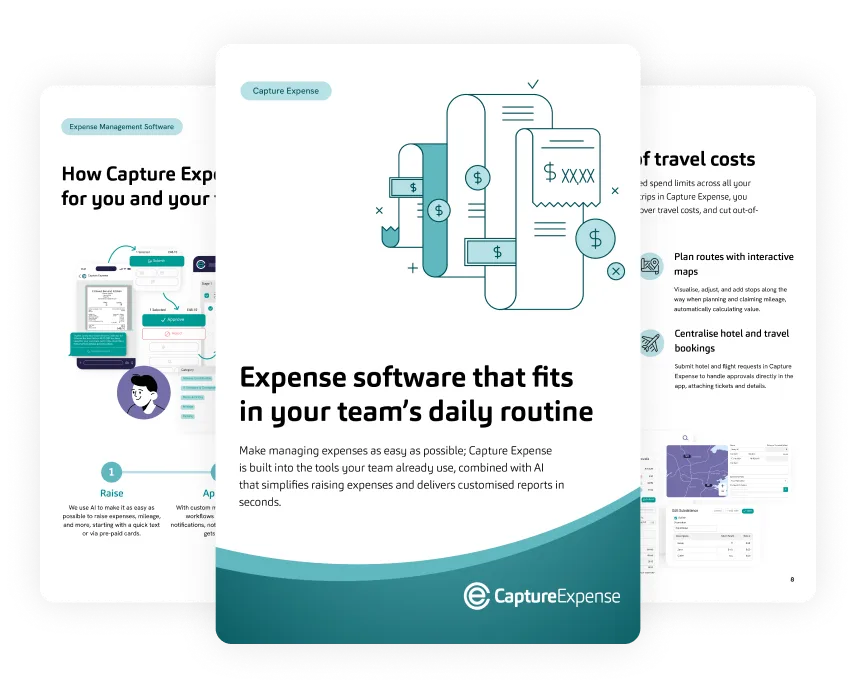
Cards and receipts
Match every card line to a receipt
Card feeds, receipts, and expense cards reconcile in one place.
- Feeds arrive from Amex, Visa, and Mastercard programmes, HSBC MiVision, and Open Banking
- Visa cards issued through Pliant carry spend limits and approvals
- Optical character recognition (OCR) reads multi-page hotel bills and other complex receipts
- AI suggests the category and VAT for the claim
- Employees submit from the web, iOS, Android, WhatsApp, Microsoft Teams, or Slack
Travel and mileage
Control enterprise travel expense management by trip
Set limits per trip and apply per diem rates by country and duration.
- Expenses link to a trip, with time-based spend limits on every category
- Mileage is calculated from postcodes with the commute deducted
- Advances and allowances keep running balances in multiple currencies
- Irish Enhanced Reporting Requirements are built in
Visit to Head Office for Training
Susi Sharples, 04 Aug 24 to 06 Aug 24
- Hotel Accommodation pre and post training course 300.00
- Staff Training Training Course Fee 100.00
- Meals & Drinks Subsistence 25.00
- Trains & Tubes Train ticket to and from Head Office 50.00
Total475.00 GBP
Ireland, civil service rates Active
| Up to hours | Rate |
|---|---|
| 5 to 10 hours | €19.25 |
| Over 10 hours | €46.17 |
| Overnight | €205.53 |
Departed 07:30, returned 19:10: 11 hours 40 minutes, over 10 hours band applied
Enterprise expense management software compared with spreadsheets and email
-
Employee experience
- Spreadsheets and email
- Manual forms and emailed receipts
- Capture Expense
- Claims from the web, mobile, Microsoft Teams, Slack, or WhatsApp
-
Approvals and policy controls
- Spreadsheets and email
- Email approvals
- Capture Expense
- Configurable by team, role, region, or value
-
Audit
- Spreadsheets and email
- Manual checks where time allows
- Capture Expense
- AI checks with Smart Audit on every claim
-
Multi-entity
- Spreadsheets and email
- A spreadsheet per entity
- Capture Expense
- Entity-specific currency, VAT, and GL codes under one approval workflow
Security and compliance
Security your procurement team can check
The security, data protection, and procurement detail enterprise buyers ask for, before the first call.
- Certification and registration: Cyber Essentials certified, Information Commissioner’s Office (ICO) registered, and General Data Protection Regulation (GDPR) compliant
- Data protection: UK data residency, encrypted in transit (TLS 1.2 or higher) and at rest (AES-256), and never used to train public AI models
- Access control: Microsoft Entra ID single sign-on (SSO) and multi-factor authentication (MFA) from the Business plan, role-based access, and a full audit trail on every action
- Procurement: Crown Commercial Service G-Cloud supplier



AI that checks claims while finance keeps the decision
Your team sets the policy rules and approval thresholds. Anything Smart Audit cannot resolve passes into your existing approval process.
-
Smart Audit
Checks every claim and approves, rejects, or escalates it.
Go to Smart Audit -
Finance Copilot
Answers questions such as top spend by user this year with charts and tables.
Find out about Finance Copilot -
User Copilot
Lets employees submit receipts, raise mileage, and get answers in WhatsApp, Microsoft Teams, or Slack.
See User Copilot in action
Your expense data is never used to train public AI models, and conversational features can be switched off.
Live in days, fully rolled out in four to six weeks
-
Step 1
Set up in days
Capture Expense can be ready for claims in days.
-
Step 2
Structured roll-out
Business and Enterprise plans get a named lead through implementation, with UK-based support.
-
Step 3
Full roll-out
A typical roll-out takes four to six weeks.
Published results from UK finance teams
These are examples of individual customer results, not guaranteed outcomes.
Connects to your finance and payroll systems
Native connectors for six finance systems, exports for Sage, SAP, Unit4, and more, and connections to your payroll, HR, and card providers.
-

-
 QuickBooks
-

-

-
 Xero
-

-
 Business Central
-

-
 Xledger
-

-

-

-

-

-

Integrates with 50+ systems.
See all integrationsEnterprise expense management FAQs
What is enterprise expense management software?
Is Capture Expense enterprise spend management software?
Can Capture Expense manage expenses across multiple legal entities?
How do approval workflows work in Capture Expense?
What does Smart Audit do?
Which finance, payroll, and card systems does Capture Expense connect to?
How are corporate card transactions reconciled?
How long does implementation take?
Is Capture Expense secure and compliant?
Can employees submit expenses from their phone or chat apps?
Can't find what you're looking for? Talk to us and we'll answer within a working day.
More of what Capture Expense does
-
User Copilot
Submit receipts, raise mileage, and get answers in WhatsApp, Microsoft Teams, or Slack.
-
Finance Copilot
Ask about company spend and get a chart, table, and summary back.
-
Corporate cards
Import card transactions, match receipts automatically, and post to the ledger with the right VAT.
-
Reporting and insights
Scheduled reports, audit exports, and carbon reporting.
Book a demo or take the product tour
Capterra Best Ease of Use and Best Value 2026. Software Advice Best Customer Support and Most Recommended 2026. Rated 4.9 out of 5 on Capterra.