User Copilot
Expense claims from WhatsApp, Teams, or Slack
User Copilot is the Capture Expense assistant that lets employees submit receipts, raise mileage, and check claims in WhatsApp, Microsoft Teams, or Slack. There's nothing new to download or learn.
Trusted by finance teams at
- 4.9/5
Built into apps your team already use
Receipts and mileage are submitted in WhatsApp, Microsoft Teams, or Slack with nothing new to download or learn.
Claims arrive with all the details needed
Category and VAT are read from the receipt, and mileage is calculated from the actual route at your policy rate.
Access set per person for total control
Administrators enable each user on each channel, and can disable access the moment a phone is reported lost.
Receipts
Snap a photo, send to chat, done
A receipt sent on WhatsApp, Teams, or Slack is read in real time and returns as a draft expense.
- The reply shows the expense created, the suggested category, and the VAT identified on the receipt
- Prompts request only what is missing, such as corporate card or reimbursement
- Match the receipt to a corporate card transaction within the same conversation
- Reply to change how the expense is processed, for example switching it to reimbursement
- Works in any language, by voice or text
Mileage
Mileage from one sentence, at your policy rate
Type or say where you drove and the copilot creates the claim with distance calculated from the fastest route.
- Start, end, and waypoints from home, office, postcodes, or saved places
- Commute deducted where your policy specifies it
- HMRC and Revenue rates and banding applied automatically
- Real-time confirmation with a link to the draft claim
Capture Expense
NE21 5PU Blaydon
SN11 8AR Calne
- 297
- miles
- £0.25
- per mile
- £74.26
- claim
Wed 22 Jan, saved in draft expenses
Building the case for an AI User Copilot?
Capture Expense covers you at every stage of spend. From saving days reconciling your credit cards to getting customised insights in an instant with your finance copilot, here’s everything you need to know about Capture Expense.
Download the brochure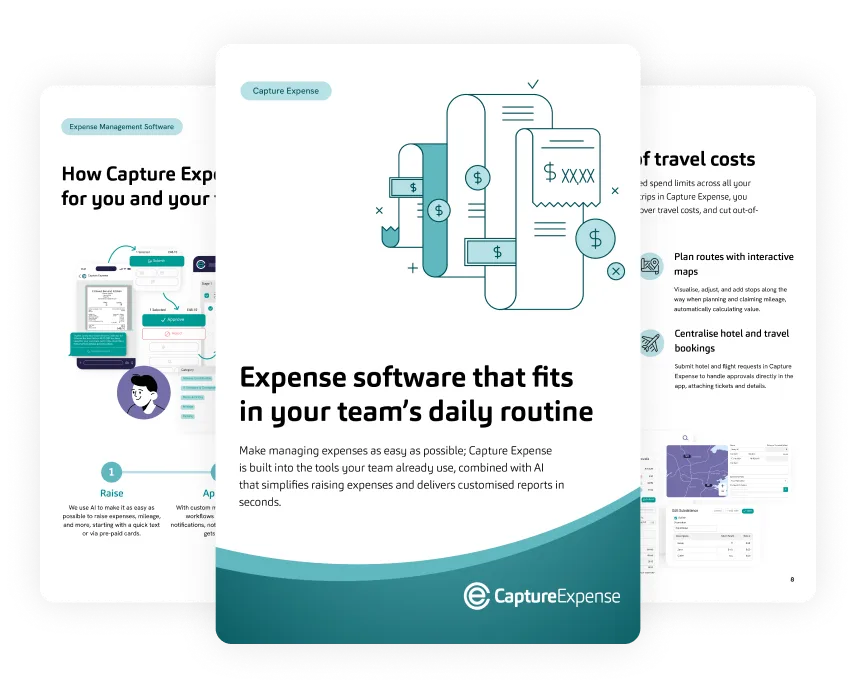
Approvals and questions
Approve claims without opening a separate app
Employees ask what is outstanding, paid or still in draft; managers ask what their team has submitted, and approve or query it in the same thread.
- Employees can ask what is outstanding, paid or still in draft and get an instant answer without opening the app
- Managers see and approve their team's claims within chat
- Notifications for approvals needed, approved, or rejected arrive in the same channel
Capture Expense
Capture Expense
- Fri 24 Apr 2 Knives Bar and Kitchen £48.10
- Thu 23 Apr Tesco £12.40
- Tue 21 Apr Amazon £31.99
- Type
- Incidental expense
- Category
- Meals and drinks
- VAT
- £8.01
- Amount
- £48.10
Control and security
Switch off chat access for one person instantly
WhatsApp runs with administrator control per user, so field teams can use WhatsApp while office staff remain on Teams or Slack on managed devices.
Read more about our security approach- Enable per user and per channel
- Disable conversational services for one person instantly, for example when a device is lost
- Your data is never used to train public AI models
- Every message becomes a controlled query scoped to your organisation and that user; only the result returns
- Microsoft Teams and Slack cover managed devices so WhatsApp isn't needed on a work phone
“It’s been very well received by all our users. There are now people claiming expenses that would not do so before as the process was too complicated and clunky. Now they can submit expenses with ease and from anywhere.”
-
5,300+
expenses processed annually
A channel for every type of user
-
WhatsApp
Field and driving teams · Per user, disable instantly · Photo, voice, text
-
Microsoft Teams
Managed devices, office staff · Per user, per channel · Photo, voice, text
-
Slack
Slack-first organisations · Per user, per channel · Photo, voice, text
-
Email
Anyone forwarding a receipt · Standard user access · Receipt attachment
Alongside the apps
Every chat claim lands in the web and mobile apps
Everything created in chat appears in the web and mobile apps, and anything raised in the apps appears in chat, so the User Copilot is an additional route in rather than a separate system.
- Claims raised in chat land in Draft expenses with the same fields: type, category, VAT, amount
- Split, edit, or add notes in the app if the chat version needs more
- The claim reaches the approver by the same route regardless of whether it started in WhatsApp, Teams, Slack, email, or the app
2 Knives Bar and Kitchen
Newcastle upon Tyne
Capture Expense
- Fri 24 Apr 2 Knives Bar and Kitchen £48.10
- Thu 23 Apr Tesco £12.40
- Tue 21 Apr Amazon £31.99
- Type
- Incidental expense
- Category
- Meals and drinks
- VAT
- £8.01
- Amount
- £48.10
What the AI does with each message
-
Reads the receipt and suggests the category and VAT
The employee confirms the suggestions instead of typing them.
-
Turns a journey description into a costed mileage claim
Postcodes, saved places, and waypoints are understood in a single sentence.
-
Answers in any language by voice or text
Each request runs as a query limited to your organisation and user.
Frequently asked questions
Do employees need to install anything to use User Copilot?
Can I match a receipt to a corporate card transaction in chat?
Can managers approve expenses in WhatsApp, Slack, or Teams?
Can employees check the status of their expenses in chat?
Do chat-submitted claims appear in the web and mobile apps?
How is access to WhatsApp, Teams, and Slack controlled?
Is our expense data used to train public AI models?
Can't find what you're looking for? Talk to us and we'll answer within a working day.