
Category

Resources

Using Trainline to travel in the UK?

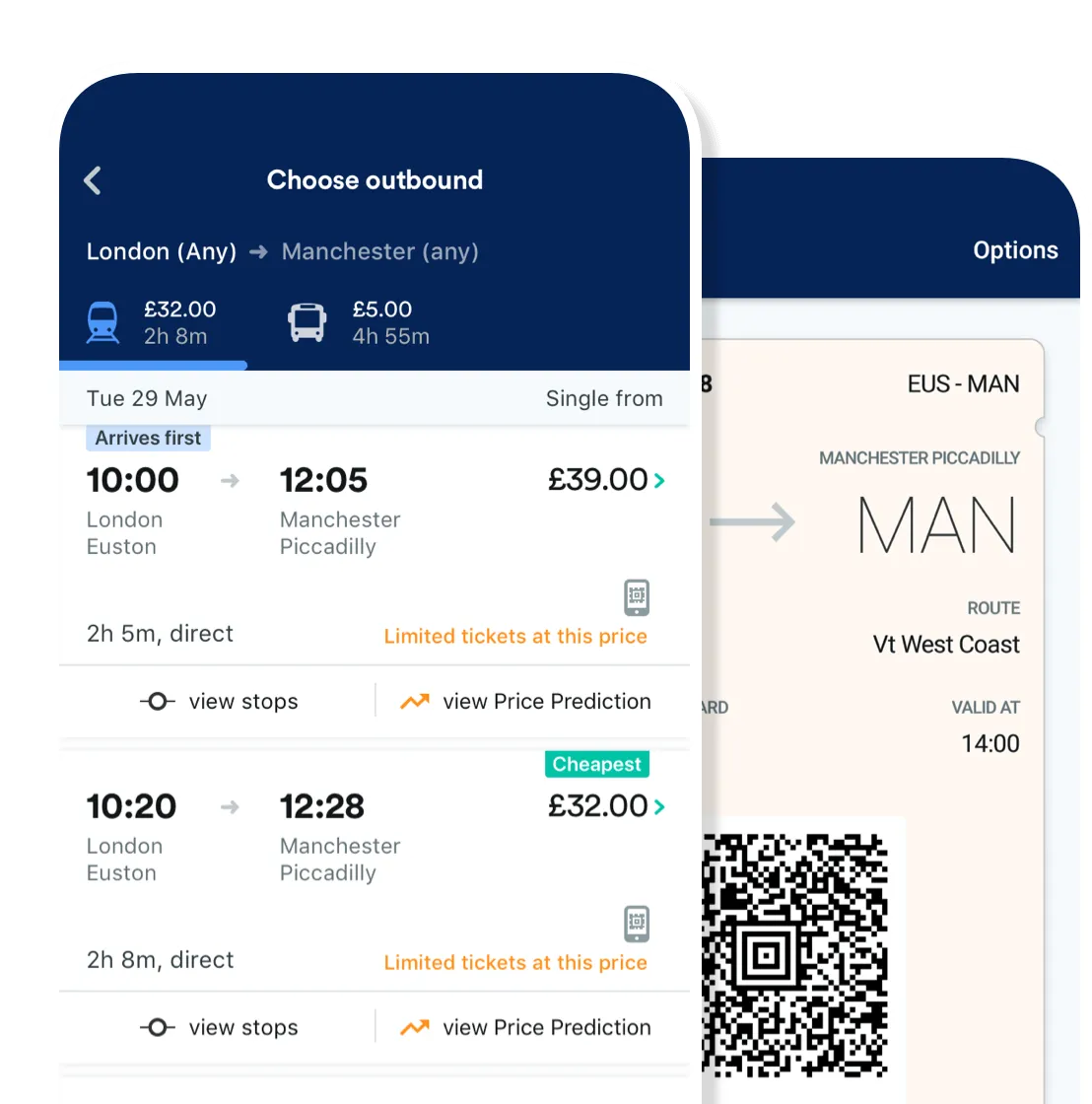
One of the many travel tools you might be using to travel for business is the trainline app, and you may be wondering how you can use it in conjunction with an expense management tracker to make your life easier.

Travel expense management is a huge part of any business and using the train line UK is an easy way to book tickets and plan your journey. But what do you do once all is said and done?

Corporate card reconciliation

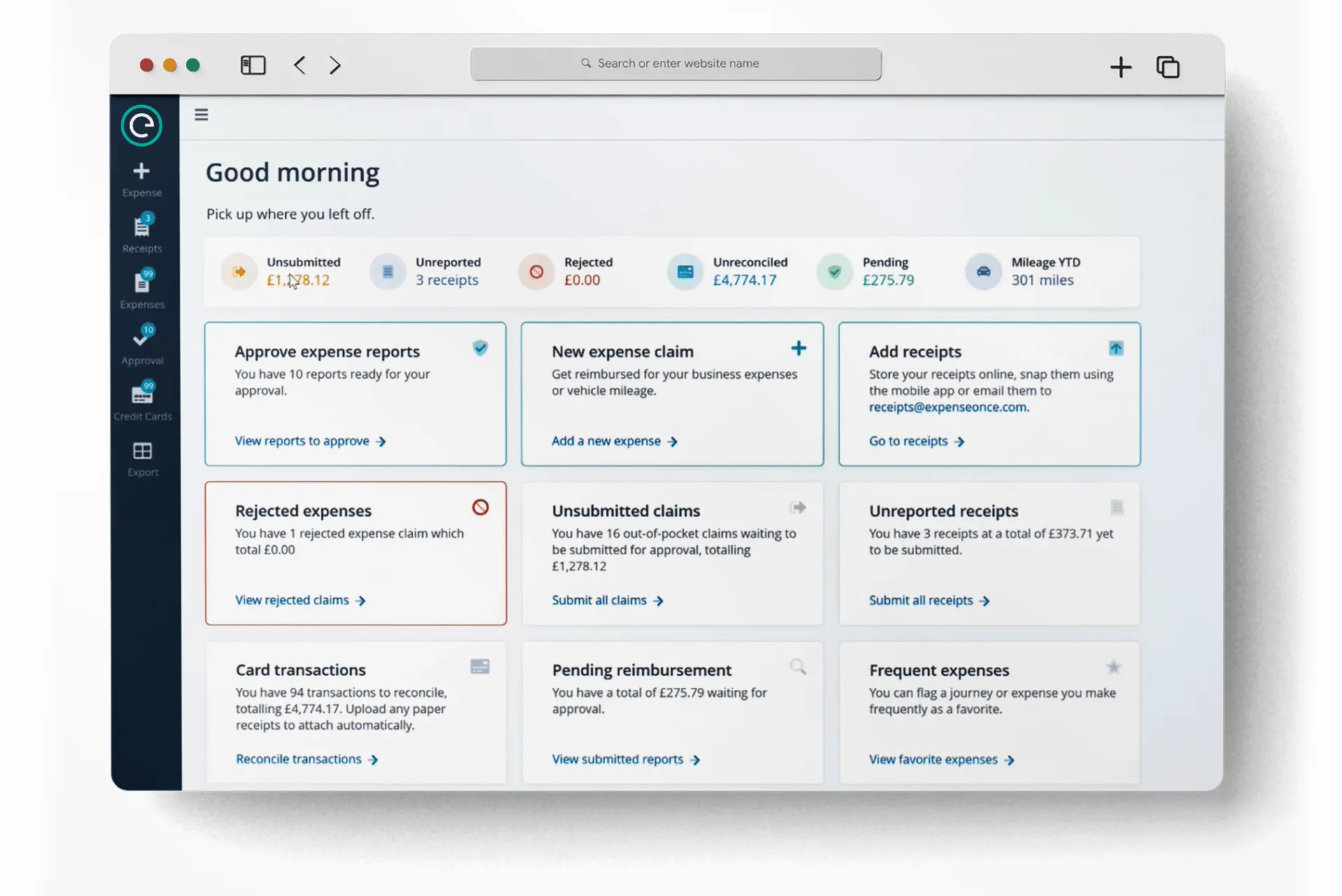
Capture Expense uses Open Banking to give you a feed of your corporate card spending, you can simply attach the invoice from the trainline app onto the transaction from your card feed. This automation makes the process a lot faster and accurate as you don’t have to create the expense yourself, it does it automatically, so you’ll never miss an expense again.

CO2 calculator

One of the many benefits of using Capture Expense as your expense management software is we automatically do calculations to work out the CO2 produced for each journey. This helps your company keep track of your climate impact. Why does this matter? Because a study by the European Investment Bank shows that being transparent about and reducing carbon emissions can have a positive impact on reputation and market demand for any business. Even big brands like IKEA are investing millions on millions on reducing their climate impact, but you can help drive that change by simply understanding your climate impact from travel with our integrated system.

Process expenses more quickly

Because our software automatically creates a feed of card transactions you can easily attach expenses from travel such as trainline, expenses tend to be more accurate as there is less room for error with code doing most of the work for you. This means expenses can be submitted more quickly, meaning they will also be accepted at a better rate as well! This means money back to you (or your employees) meaning everyone is happier.

Better view of spending

With a more accurate and detailed view of employee spending, you can help improve understanding of spending within your company, allowing for new insights on how to streamline, or reduce costs. This means better overall spending and profits.

Contact us today to learn more, or get a free demo to try Capture Expense out for yourself.

What is an Expense Policy, and do I need one?

An expense policy is a document created to outline the rules laid down by the company on types of expenses employees can claim back on, and how to submit such an expense. Every company is different, so every policy reflects this in being unique, however they largely contain two parts, travel and expenses and how to claim.

Travel and Expenses

T&E outlines what expenses can be claimed back on when your employees travel for business, as well as recommended suppliers and methods of transport. It’s important to have a document which highlights this so that you can effectively control and manage expenditure, and ensure everyone in the company is on the same page.

Why should I create a business expense policy?

It can sometimes be a little unclear on what people can make an expense claim on, and an expense policy clears this up. A concise clear policy not only increases accurate claims but reduces confusion which can often lead to frustration and mistakes. It can even limit expense fraud. Not only will your employees be happier, but it means your finance department can gain better control and insight over expense forecasts.

First things first

It may seem daunting to start, but there’s plenty of help and support out there on where to begin. There are plenty of free to use templates online, or you can chat with us to create a totally unique policy just for you. Once you have this down, it can be easily implemented into Capture Expense so that you don’t even need to remind employees of what they can and can’t do, it will automatically show up in the app when it is relevant.

Create multiple policies

Different departments and even different branches will require different policies, so with Capture Expense you can assign different policies to these sections. You can also add policies for travel, card payments, etc. Whatever you want to add a note or caveat to, you can.

Set maximum spend

You can also set maximum expense amount limits, allowing for greater control over company expenditure. You can set overall rules or more defined specific rules, depending on your unique needs.

Automate the process

Using a smart expense management product is the key in ensuring expense policies are successful. When using Capture Expense the whole process becomes integrated and fluid, meaning errors, duplication and out of policy expenses are reduced. This not only speeds up the expense process but saves you money and time in the long run.

Get started today

It’s never to late to join the future. Technology has made it so we have super computers in our pockets, so why are you still using old documents and excel templates to process your expenses? Get in contact today to see what we can do for you and the future of your company.

What actually is a smart expense management system?

expense reimbursements, reimbursed expenses

Expenses. Everyone has to do them. It is simply spending that is required to make the business run, and encompasses everything from business travel to corporate card spending to stationary. Be it SME or enterprise, every business has to keep track of where it’s money is going, otherwise costs are waylaid or even fraud can happen.

The problem

All spending is different, as every company is different. A construction company will outsource a lot of its labour, so ensuring contractors are paid the correct amounts based on policy is key. Even hospitality will be completely different – there’s a lot more physical purchases made on a card as the business needs to be well stocked. And as every company is so different, so is their ways of conducting expense management systems.

It can often be an arduous time intensive process, especially if you are using an outdated method such as physically on paper, or even in an excel template. Often digital spreadsheets are mixed with copies of receipts and invoices. This is a pain to keep track of and document as it’s a confusing and intense paper trail.

It can also be made harder by the size of the company and employees location. Overseas spending will have different exchange rates, different requirements, different norms, so how on earth do you accurately keep track? If you are truly looking for your business to grow and develop, you need a smart automated expense management system that can grow and adapt with you.

Change is scary

Whilst it is good and all to talk about the pros of an automated expense management system, you may still be apprehensive about switching to a smart digital solution. This is because you may have old fixed business practises that you can’t imagine changing, or the idea of transferring old information online to create a comprehensive archive to be almost impossible, but that is not the case. Capture Expense can work with you to import all historical data making your life as easy as possible.

We also work with your current systems, not against them, having integrated Capture Expense with more then 50 different back-office systems and provided additional support for many others. So whilst you may be worried your current accounting system won’t integrate, have no fear. Capture Expense works with your accounting, payroll or other back office system, replacing any manual and repetitive tasks. Data integration is quick and accurate whether recording expenses within accounts or reimbursing staff via BACS or payroll.

Bank feeds generate card expenses automatically each month as we integrate with all major banks, alerting cardholders to review their expenses.

Just a few of the companies we work with are Tripcatcher, Azure, Oracle, Travelport, Financial Force, Quickbooks, Unit 4, Sage, Salesforce, Sap and Xero.

No need to import/export CSV files every month

No need to manually update spreadsheets every month. Capture Expense works directly using the Application Program Interface (API), meaning records and transactions are moved seamlessly without any manual intervention. Let technology work for you in the way it was designed.

Creating a single source

We can aggregate data from multiple sources and update multiple systems. For example retrieving Project and Costcentre records from Costing and Staff records from HR. Once an expense is fully approved we can generate a BACS payment as well update Accounting to record the receipt.

Mobile Expenses

You can even keep track of your expenses on the go with our mobile app. Simply use the mobile expense login (which you can even use SSO for an even speedier expense log) and snap a picture of your receipt. It will then be automatically processed and all the data can be used to automatically fill expense forms for easy submission and archiving of receipts.

Corporate credit card expense reporting

Easily keep a feed of both online transactions with company credit card and cash transactions using receipts. Cards can be added to your Capture Expense account so that any transaction is automatically added to your expense feed, meaning you just need to add an invoice.

Ever company is unique

It really is as easy as that. If you have any other doubts, feel free to send us a question. We will be happy to help, and we know that no one solution will fit all, so we can work with you to create a unique custom solution which works for you. You can add whatever tags you need, whatever categories you want, and unique company policies to ensure compliance.

Book a free trial today to see how easy it is.

Need an Excel Income and Expense Template?

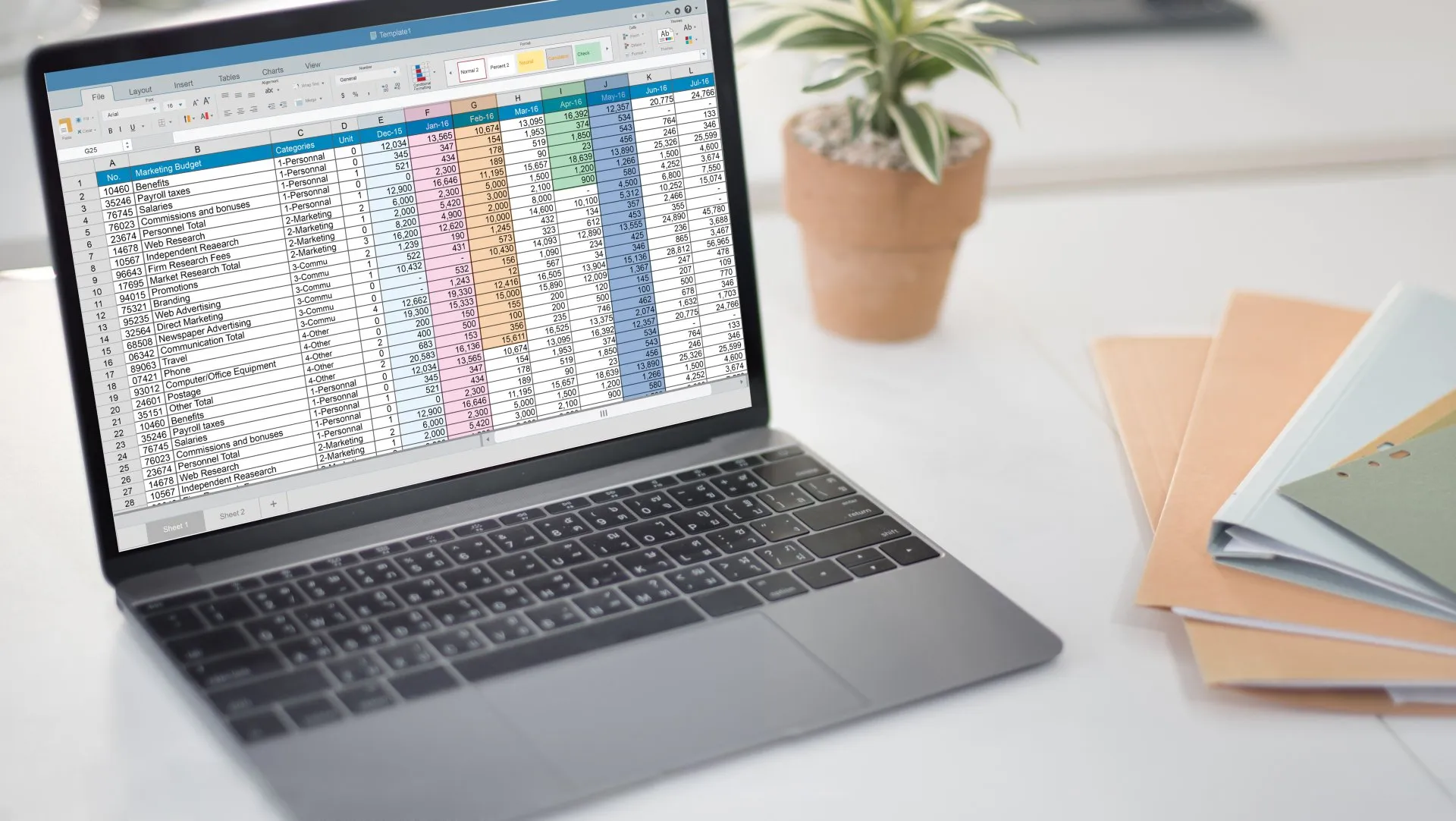
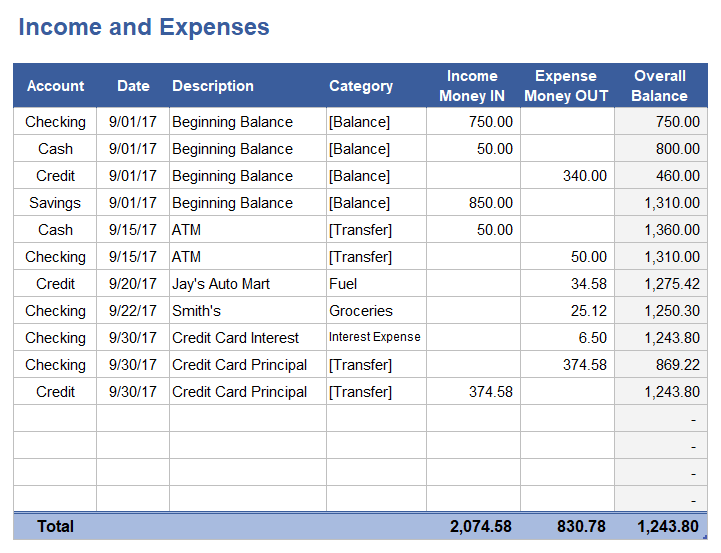
It’s that time of month again where you need to sort your expenses out. It’s a bit of a pain having to put the data in, but you’ve got an excel business travel expense template so it’s not too bad. You just have to go through and dig for all your receipts, manually put in the data and hope you’ve not forgotten anything. There are loads of free download excel templates you can use, and it works just fine, so why would you change? It’s certainly cheaper than using an automated expense management system.

But what if you’re wrong? It turns out you’re actually spending more doing it this way, and it’s all in the time it takes to input this data.

Manual data processing

Say you hire someone to do your accounting, 20 hours a week at £12 per hour. They have to manually enter, check and produce reports on employee expenses. If they are working 50 weeks a year, that’s £12,000 you’re paying for your expenses to be input. Think of where else 12k could be invested in your company. You’re losing revenue on sales through missed marketing opportunities.

Receipt storage hassle and lost invoices

And not only that, but manual data input using something like a free download income and expense spreadsheet creates mistakes. What if someone is late in sending over their receipts and invoices? What if they’ve lost a receipt? You can’t reclaim Tax on lost receipts, so you’re losing money in other areas too.

Poor visibility of spend and lack of expenditure control

Using a simple travel sheet format leads to a lack of visibility of your overall spending. It takes extra time to visualise this data and analyse spending. It may seem like an extra add on to use a service which supplies this analysis, but an automated expense management system like Capture Expense integrates it automatically in the software so that you can easily view your expenses and understand what they mean. This means better control of expenditure as well.

Overestimated mileage

Working out fuel expenses using a template is a pretty rudimentary way of calculating mileage and VAT on fuel rates. Mileage Allowance Payments (MAPs) are what you pay your employee for using their own vehicle for business journeys.

You’re allowed to pay your employee a certain amount of MAPs each year without having to report them to HMRC, this is called an ‘approved amount’. If you reimburse employees above the approved amount, the benefit-in-kind will need to be reported to HMRC to deduct any further tax due.

Capture Expense stores the approved rates and you can generate a reports which shows how much you’ve paid to staff above or below the approved rates. This determines by simply multiplying the employee’s travel miles for the year by the rate per mile for the vehicle. The total includes any type of vehicle they’ve used. The rates below were correct in 2020.

Anything below the ‘approved amount’ then you won’t have to report to HMRC or pay tax, but your employee will be able to get tax relief (called Mileage Allowance Relief, or MAR) on the unused balance of the approved amount. You can make separate optional reports to HMRC of any such unused balances under a scheme called the Mileage Allowance Relief Optional Reporting Scheme (MARORS).

Chasing staff to submit claims and backlogged reimbursement

I’m sure we’ve all been on at least one side of this problem. It can take an age to get your reports approved and reimbursed because it’s such a time intensive operation. Want to speed up expense reimbursement? Use an automated system! Because it is so much easier to input data as most of it is done automatically using receipts and OCR, it means you can submit more accurate reports more quickly. This is easier to check and approve, meaning you get your money back in a timely manner. On the flipside, if you’re in charge or approving expenses it can be a real burden to chase claims. It takes time and effort to check up on people, send emails, check data, so switching to an automated system largely eliminates this problem by allowing a much more consistent and accurate flow of claim data which you can approve at a better rate.

Out-of-policy bottlenecks

Sometimes it’s easy to forget what policy is, and what applies to you. With an expense excel sheet you can’t dynamically show policy and make sure all claims are according to policy. With a smart system custom policies can be easily displayed to stop the problem before it’s even submitted.

Duplication and errors

File management is also a real struggle when you have very similar sheets sent from multiple people at different times. Is this the most up to date version? Have I already been sent this? It’s a tedious process of checking that can often lead to errors. Eliminate this entire problem with a smart dynamic system such as Capture Expense.

To summarise, just a few of the drawbacks to manual expense management using excel template are:

  • Receipt storage hassle
  • Lost receipts ( so no Tax reclaim)
  • Poor visibility of spend
  • Tax inaccuracies
  • Lack of audit trail
  • Out-of-policy bottle necks
  • Lack of expenditure control
  • Overestimated mileage
  • Manual data processing
  • Backlogged reimbursement
  • Duplication and errors
  • Chasing staff to submit claims
  • Reiterating policy to employees
  • Accrual unaccounted expenses
  • Difficultly with Remote Workers
  • Staff personalise expense forms

And just some benefits to automated expense management:

  • Digital Receipts
  • Combined Mileage, Cash and Card
  • Smart Approval workflow
  • HMRC Fuel Rates (Private, Business)
  • Personal Milage Refund
  • VAT Reclaim & Management
  • Built-in Compliance
  • Easy to use and maintain
  • Available 24/7 on any device
  • Only pay what you use
  • Minimal training and setup

If you’ve got any questions or want to know more, drop us a message. You can also book a free demo to see what we can do for you and your company.

Reconcile credit card payments with Clearspend intergration

Do you use ClearSpend to keep track of you card spending? Do you also want to start using an expense management app, but don’t want to manually export from one app to the next?

Well luckily for you, Capture Expense integrates with ClearSpend to allow you to process your card transactions directly into our software, removing the tedious need to go back and forth between apps.

In ClearSpend you can view cardholders transactions and balance information in real time as they happen, with handy graphs to help you analyse spend patterns. You can continue to use the app as you normally would, but with the added extra of expense management.

So where do we come in? With Capture Expense, you can easily create expense reports that combine credit card transactions with out of pocket expenses.

We’ve integrated with all accounting, payroll and major banks, we’re authorised and part of the Open Banking standard. Expense reports are created as either Purchase Invoices to pay emplyees via the ledger or journals are created at the point we export BACS payment to the bank. Costs can be allocated to the correct ledger codes and budgets updated within your relevant systems. The expense system process is fully auditable and can be reconciled along side other software. Integration is completed by file transfer which is robust but we also offer fully seamless direct API integration. We provide development services for any other bespoke requirements around system integration or expense reporting software.

This will save you a lot of time and money, as the manual process of exporting data from one app to the next is removed, streamlining the process, improving accuracy and saving your time for what matters most.

Contact us today for more information, or take a look at our other features, including travel management. Our software is automatically kept up-to-date with the latest approved Tax and vehicle fuel rates. You can also choose to override these standard rates or create their own records as required by your organisation. The software automatically calculates the correct Tax and stores every unit of value against each transaction line, after approval its ready for export.

You can also view the CO2 output for each journey, making sure you and your company can remain clear on your climate change goals.

For a full list of our features, take a look at our overview page here. If you have any questions, send us a message! We’d love to hear what you think.

Expense Fraud Detection and Prevention

One problem you may face is keeping an eye on Travel and Expense risks. These are not always people trying to exploit a credit card, they may just be human error, but they can still affect your cash flow.

We apply automated checks such as duplicate submissions, refunded expenses and unusual mileage. Other areas which need to be tracked are unusual or out of policy purchases, meals and accommodation and misclassified purchases.

With an automated expense management system, data is more accurately and consistently inputted, and so with proactive monitoring can detect and reduce fraud in less than half the time than without an expense management system in place.

How we use data to track misuse

Centrally control spend over multiple profit centres

Tags are a powerful feature which allow administrators to recreate the organisational structure and related business rules and expense system policies. Each tag can represent a team, office, location, project or cost centre which may require different rules and actions. This structure also allows for costs to be posted to the correct accounts as PL Invoices are be generated as part of the expense system integration, providing transparent auditing and reconciliation, maintaining up-to-date budgets and returns.

Increase accuracy

Our built-in journey distance calculator and HMRC approved tax and fuel rates create accurate journey claims for personal or company vehicles. Not every journey is the same so % tolerances can be setup for flexibility between the expense system generated distance and the actual journey recorded by the claimant. Reduce potential overspend whilst submitting accurate VAT returns.

Fraud detection and enforcing policy

With the organisations business rules applied directly into the platform, they are enforced in real-time by displaying warnings or restriction as visual notifications to staff whilst raising the expense claim. Weekend and duplicated claims also form part of our compliance. Save time by relying on Expense Once to reduce out-of-policy reports and potential overspend.

Dynamic approval made easy

Multi-level approval stages and dynamic workflows entirely streamline the process. Every line of an expense report can be routed to different budget holders or managers based on the claimant, team, expense category, amount or project. As many workflows can be created as needed and managers are notified as expense reports are submitted whilst the claimant is kept up-to-date until they’re reimbursed.

Improve Staff confidence

Managers and finance can spend far less time manually scrutinising expenses and instead rely on the platform to apply correct rates and taxes as well as notifying them of inconsistencies or potential over-spend. Flexibility has been built-in by design to cater for simply small business expenses whilst also delivering for the most demanding enterprise. With Expense Once feel confident that you won’t be contributing to company overspend or incorrect VAT reclaim.

If you need any more information on how we can help support your business in security, contact us today. We will be happy to go over the details with you and cater the system to your needs.

Travel Expense Management Must Haves

You’ve got a trip coming up for work. You’re excited travel because it’s been a while, but one thing you’re not looking forward to is keeping track of what you’ve spent, when, where, and how. Fortunately there’s a new way to record your outgoings, and a faster way to claim that money back.

How to organise your trip

Need some extra help with organising your travel? Here are some awesome travel apps for business travel that can help in other areas, such as organising and booking trips.

TripIt!

TripIt is perhaps the greatest app for keeping track of all of your trip plans in one spot. Whatever information you need for your trip—flight schedules, hotel reservations, or meeting details—TripIt keeps it all in one place and arranges it on a calendar. The greatest part is that you can just forward all of your confirmation emails to your TripIt account, and the app will take care of the rest!

Google Translate

We know you’ve heard of it before, but it really is one of the best for general translating when you’re abroad. In its most basic version, you specify the language you want translated and the language you want it translated into, then enter in your words, and Google Translate does the rest.

However, the service, particularly the smartphone app, has become increasingly sophisticated and powerful with time. Google Translate now has access to your phone’s camera and microphone, allowing it to read and translate signs and menus via the lens of your camera, as well as listen to and translate conversations in real time.

Around Me

No idea where you are? Get the AroundMe app to solve your problem. AroundMe analyses local businesses and services to help you locate what you’re looking for, including banks, hospitals, hotels, gas stations, coffee shops, and more. After you’ve plotted your destination, utilise the directions tool to avoid getting lost.

How to manage expenses

Now you know how you’re going to travel, how are you going to deal with the costs and keeping track of everything?

Journey Calculator

Expense Once makes advantage of the Google API Distance Service to assist you in filing travel claims, whether you travel by car, bicycle, or as a passenger.

The service returns the distance between a start and finish location with any number of checkpoints in between. The service considers the date and time of the travel to establish the most precise mileage, as well as avoiding highways or toll roads. We use miles by default, but you may change it to kilometres if necessary.

This prevents an over-claim for travel expenses; nevertheless, you want to manually update the distance, we still compare the value to the calculated distance and compute the percent difference to highlight at the approval stage.

Vat Mileage Calculator

We keep track of HMRC’s advisory rates, which are pre-programmed and included in the software. We keep track of each vehicle type (fuel type and engine size) and the most recent HMRC fuel rates, which are updated every three months.

You may generate new vehicle records for each organisation and link them to HMRC authorised rates or insert your own set of vehicle rates with cumulative mileage support. This guarantees that the firm is claiming the proper amount of VAT and reimbursing each claimant for the permitted amount.

VAT Compliancy

The programme includes pre-built VAT records that incorporate all typical UK and EU rates. These can be changed for usage in other countries or for special partial recovery circumstances.

A variety of configurations can be used to establish the precise use of VAT by spending category and claimant; however, the most basic technique needs a VAT receipt to be attached for VAT recovery. Ensure you and your company are reclaiming the correct amount of VAT. In most situations using the programme boosts reclaim by up to 34%.

There are many ways to make business travel as pain free as possible, and with Capture Expense, automated expenses and a healthy arsenal of travel apps, you can go and do anything you need.

How you can manage and streamline Construction business expenses

The construction industry is a wide and integral one, and whether you work in buildings, infrastructure or industrial, you need to manage your expenses.

You might be surprised at what expenses you can claim back as a builder, whether you’re paid through PAYE or work under the Construction Industry Scheme (CIS). However, depending on how you’re employed will change what you can claim back.

What can I claim?

Equipment

If you work on PAYE, you can claim costs for any tools or equipment that you paid for if your employer did not have the same or comparable item. As a CIS employee, you can deduct the cost of purchasing or replacing tools as an expense.

As a CIS or PAYE employee, you may be entitled to get reimbursed for wearing a uniform or protective equipment.

Travel

As a CIS employee, you are entitled to reimbursement for travel and subsistence expenses incurred while working at a temporary job. If your contract is less than 24 months, it is deemed transitory. If the term of your contract is unknown, the workplace will be deemed temporary until you have worked there for 24 months, at which point it will be considered permanent.

As a PAYE employee with a single permanent place of employment, you are unable to claim travel and subsistence costs. If you are compelled to work someplace else temporarily (for example, at another construction site), you will be eligible to claim transport and subsistence expenditures at that period.

Mileage can be claimed as an expense if it is incurred when travelling to a temporary work location. This implies that as a CIS employee, you may claim costs for the miles you’ve travelled for your contracts. You can only claim mileage charges as a PAYE employee while travelling to a temporary job site.

Capital

Unfortunately, as a PAYE builder, you are unable to claim capital costs, but if you operate as a builder under CIS, you can claim capital costs as long as they are acquired for business purposes. For example, if you buy something like a laptop or car just for job related matters, you can claim the capital costs back.

Vehicle costs

Like before, if you use a vehicle exclusively for business use, you can claim back the tax on mileage, road tax and insurance.

How we can help

Now you now a little more on what can be claimed back, how can you speed up this confusing and often time-consuming process of claiming back this money?

You need an automated expense management system for you and your employees. Be it a small business or enterprise, any company can benefit from using an expense management app to manage their finances in this area.

Corporate cards

Given employees credit cards to use for their expenses? Sick of having to chase up receipts? Expense Once uses open banking to automatically store a log of all expenses made by the employee, and allows them to easily take a picture of their receipt which is automatically scanned and the data checked against the credit card statement. Your employees should be focused on their important work, not on keeping track of receipts and expenses.

Get an accurate overview of your outgoings

Not only will your reports be more accurate and detailed, but you can assign tags to a project and see how much money is being spent on it at a glance. How much will the equipment set you back? What department is delaying your month-end reporting? Which costs are associated with which customer? And, perhaps most crucially, you can recognise money-saving options.

Approve remotely and easily

As all data is centralised, you can approve or deny expense reports on your phone or on desktop at any time of the day, no matter where you are. This improves the time frame in which expenses can be approved, and so improves cash flow.

Intuitive and easy to use software

Not wanting anything overly complicated? Expense Once excels in its ease of use and powerful features, as Tom Garner reviewed: “It was highly configurable and yet easy to understand, I’ve never seen any other system achieve this level of features with such ease of use.” So you can use a powerful effective tool without confusion or headaches. We also help you move onto the software to make the process as seamless and thorough as possible, so you don’t have to worry about missing data or misalignment from before moving to the system.

Got a specific requirement?

We pride ourself on our customer service so we work tirelessly to implement new features all the time, based on our unique customers needs. We know one size does not fit all, so we offer a large range of features which you can pick and choose as you need. And if you need something else, we are happy to look into how we can implement it.

So what are you waiting for? Contact us today to have a chat and see what we can do for your construction teams.

Receipt management for small businesses

Small business owners will know, a big part of running your own business is keeping track of paper receipts. Travel expenses stack up, and keeping track of where you’ve been and the cost of fuel, as well as what you purchased can get a little overwhelming. So why in todays world of mobile apps and digital data are you still storing and keeping track of purchases manually with paper copies?

Below is a list of key features you should be thinking about, as well as their benefits:

Receipt scanning apps

One way to begin your journey into a more efficient future is using an app to scan receipts and to keep a digital trail of your expenses. Organizing receipts physically can be tricky as you have to categorise and store them manually, but using a mobile app can help you store the information you need in an easy to access way.

You can store travel expenses, purchases of office supplies, food and drink, anything you want to expense quickly and easily. The most simple way is to simply just take a photo of a receipt, as at least you have a digital copy, but if you want to really make use of technology you can scan receipts for data and extract it, eliminating the need for you to manually input the data.

Optical Character Recognition (OCR)

OCR is a form of AI computing which allows software to scan images in real time to take out the valuable data. This allows you to use search systems to find the receipt you need based on cost, location, purchase, and date. No more time wasted looking back through piles of paper or even searching through each image in a directory, a simple search will bring up the document you need.

Auto-Fill on Expense Reports

Using this data you can automatically fill out expense reports in just mere moments. The data is accurate and detailed, meaning you won’t miss out in future on historic data. You can use it to create projections, analyse costs, and track spending in general. Receipt management and utilising the information they hold has never been more easy, so why are you still avoiding it?

Company Credit Cards

Another arduous element is linking credit card transactions with invoices or receipts, but a lot of the time this can be done automatically as well. For example, Capture Expense automatically collates company credit cards assigned to each user, and provides a feed of these transactions so you can easily check and update them. You can link any digital receipt, as the software stores your receipts in one place. If the software finds a receipt that perfectly matches one of your credit card expenses it will automatically link them, meaning you don’t even have to attach a receipt manually.

So you need an app to manage expenses receipts, which should you use? Capture Expense provides all of the key features outlined in this article and more, so book a demo today to try it out yourself. There are many management apps available, but combined with our sleek interface and many other features, Capture Expense provides a powerful expense tracker app that is also available on desktop, so you can access what you need wherever you are.

Just listen to one of our many positive reviews from G2:

“Capture Expense is such a great tool to streamline the process of improving business expenses and submitting receipts. The process makes keeping up with my business purchases so easy.”

It truly is as easy as that. So book a demo today!

Still using Excel Templates for Expense Management?

Microsoft Excel is the bookkeeping software of choice for many small businesses. This is especially true for small business entrepreneurs and start ups. It’s been around for a long time, with many, many Excel templates online, and sample accounting formulae readily available. Even better, you most likely already have it installed on your laptop. It’s the most accessible bookkeeping worksheet available when you initially start your firm.

However, when your company grows, you’ll quickly find you don’t have time to cope with the manual effort necessary to keep Excel up to date. You’ll soon have to make a business decision: do you devote time and effort to MS Excel and the hazards that come with it? Should you enter all of your company’s financial data into accounting software or not? You want to keep costs down, but in the long run, will you actually be spending more due to the time needed to use excel?

For small business owners, Excel is a good place to start. It’s difficult to miss the free Excel versions’ access to customisable, basic spreadsheets. Owners, on the other hand, will quickly uncover a slew of issues, including the possibility of faulty calculations, missing data, and lost files. And the more time you spend on a spreadsheet, the more difficult it will be to maintain your records in order, leaving you with less time to focus on your business.

Below are just 8 reasons why using Excel exclusively for expense management is no longer feasible.

1. Input by hand

The sticker price of a product like Excel has nothing to do with its cost. It all comes down to how much time it takes to handle. Unfortunately, Excel necessitates a significant amount of time. Every company cost must be manually entered. Every transaction must be entered twice if you use double-entry accounting, as mandated by the Generally Accepted Accounting Principles. That’s twice as much data entering by hand.

Everything from expenditure reports to the chart of accounts must be entered manually. This not only takes time, but it also raises the danger of making a mistake. What does this mean in terms of cost for small businesses?

Assume you have a part-time employee who completes financial tasks. The employee works 20 hours each week since they have to manually enter data into Excel. Assume that the employee is paid £12 per hour and works 50 weeks per year.

In this scenario, you’re allocating £12,000 only to accounting data entry. This is not only exorbitant, but it also ignores the lost opportunity costs of not being able to spend that time on sales, marketing, or hiring.

2. A scarcity of historical information

Another problem with Excel accounting spreadsheets is that they don’t do a good job of storing historical data. Companies frequently lose historical data, making it harder to spot financial patterns. Companies can plan and budget better if they can spot financial patterns.

Do you, for example, see a spike in sales in December? If that’s the case, you could need to employ seasonal labour or increase your supply. You may miss out on chances or lose money if you are unable to recognise trends.

This is not only aggravating, but it may also result in legal issues. Imagine being called for an IRS audit only to discover that the information from the relevant year is missing from your company’s spreadsheet template. That is an issue.

3. Visualization is a challenge

The Excel format is useful for big volumes of data, as described in the preceding paragraph. However, when it comes to understanding the data, it’s not very useful. In fact, Excel interprets data using visualisation tools such as tables and graphs.

While this may be beneficial in some sectors, it is not applicable to commercial accounting. Assume you own a business with a £1 million annual sales. Trying to keep track of transactions in categories like accounts receivable or accounts payable may be difficult, especially when dealing with large amounts of data. Unlike accounting software, you can’t enlarge or compress an Excel table.

4. It is not widely recognised in the corporate sector

While Excel may work for your little firm, it is rarely accepted by the rest of the business world. It’s possible that investors will be put off by your use of it. Your accountant or bookkeeper will, too.

Data analysts who crunch figures and perform pivot tables may find Excel beneficial. However, business owners who are concerned with tracking business transactions in the general ledger and preparing financial statements such as balance sheets, income statements, and cash flow statements will run into issues with the software at some point.

With better tools, the number of hours spent on accounting lowers, lowering the time-value cost.

5. There is no integration

Excel does not interact effectively with your other financial apps, such as credit cards and bank accounts, which is similar to the fact that it involves a lot of manual effort.

You may be able to get your statements in spreadsheet format from your credit card and bank firms, but you’ll still need to input and organise all of this information into your existing accounting spreadsheet. This, too, takes a long time and puts you at risk.

If you make a mistake when inputting data, it might take hours or days to figure out what went wrong. Having your transactions automatically imported into your accounting software decreases the chances of this happening.

6. You’ll end up with two spreadsheets that aren’t in sync

Inconsistent spreadsheets are one of Excel’s most difficult problems to spot until it’s too late.

This happens on a regular basis. You must manually input and alter data in various locations since Excel isn’t a central hub for all your accounting, budgeting, and inventory needs. This is a problem that affects businesses of all sizes. However, the larger an organisation becomes, the more likely it is to be exposed to it. According to Ventana Research, roughly 44% of enterprise-sized firms have spreadsheets that are inconsistent.

The main issue with statistics that don’t add up is that it’s difficult to find out why they don’t. While two spreadsheets can be reconciled, if a mistake was made a few months earlier, it’s a real pain to sort out.

7. Spreadsheets aren’t designed to scale

When you’re initially starting out, Excel can be a good option. However, when your business expands, you may need to adjust your rates, raise capital, launch a few new goods, or recruit a few additional employees. Your spreadsheet may soon be unable to keep up with your company’s finances.

8. Small mistakes compound

Errors in spreadsheets have a cascade effect. If even one cell in your spreadsheet is incorrect, it might have far-reaching consequences. If you enter an inaccurate digit or a missed comma or decimal point in one field, your spreadsheet will utilise it to perform subsequent calculations incorrectly.

There are many aspects of business that you have no influence over. Expense management is not one of them. With the right tools and management it can become a stress free and easy process, which can lead you to insights you never would have been able to have before.

Capture Expense eliminates these issues

With our very competitively priced software, you can save money, time, and gain control over your money management. Uploading and keeping track of expenses becomes easy and efficient with both our desktop and mobile app. Contact us today for more information, and take your business to the next level.