
Approvals and policy
Approvals and policy controls that mirror how you really work
Approval workflows reflect your organisation's actual structure: per person, per stage, per category. Detailed control that stays easy to administer.
Approval Records
Assign each person a record with as many stages as you need, each to named approvers or a dynamic Line Manager stage.
Category overrides
Give a category its own Approval Record and it overrides the claimant's workflow for that line only. Blank means fall back to the default.
Policy where it bites
Spend limits by user, department, cost centre, category or organisation, with alerts as warnings or mandatory stops.
How routing works
Rules that are simple to explain and hard to get wrong
Approval Records are normally assigned to users. Each record can contain multiple stages, and each stage can be assigned to named approvers or to a Line Manager stage that dynamically uses the manager on the claimant's profile. Categories can carry their own Approval Record, which overrides the user's workflow for that expense line. Categories without one fall back to the user's record.
- Multi-level and conditional approval by amount and policy
- Line manager or multi-person approval at each stage
- Centralised approval across linked organisations
- Out-of-office delegation so nothing waits for a holiday
Jonny Dowell
Claim 145
£48.10
11 February 2025
-
Approved
Stage 1
Jonny D
-
SB
Pending
Stage 2
Sophie B
-
SS
Pending
Finance
Susannah S
Enable Out of Office
Delegate Expense Approval to (includes existing approvers only)
Choose a delegate...
Only During the Following Date Range: 17 Feb 2025 to 27 Feb 2025
Spend controls
Limits and alerts at the point of claim
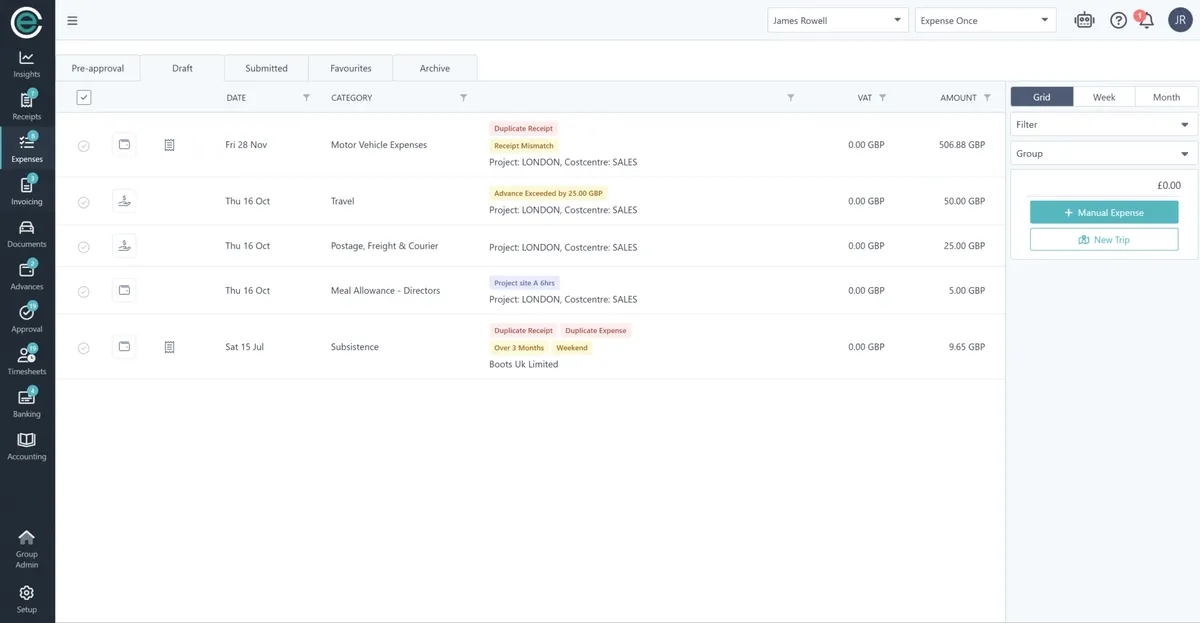
Configure limits down to an individual, then let the platform enforce them. Alerts appear on the expense line as it is built, colour-coded for priority, as a warning or a hard stop. Approvers see the same alerts, so decisions are quick and consistent.
- Limits by user, department, cost centre, category or organisation
- Country-based rates and subsistence limits
- Fixed and custom alert labels, in multiple languages
Approving
Approve anywhere, with the context you need
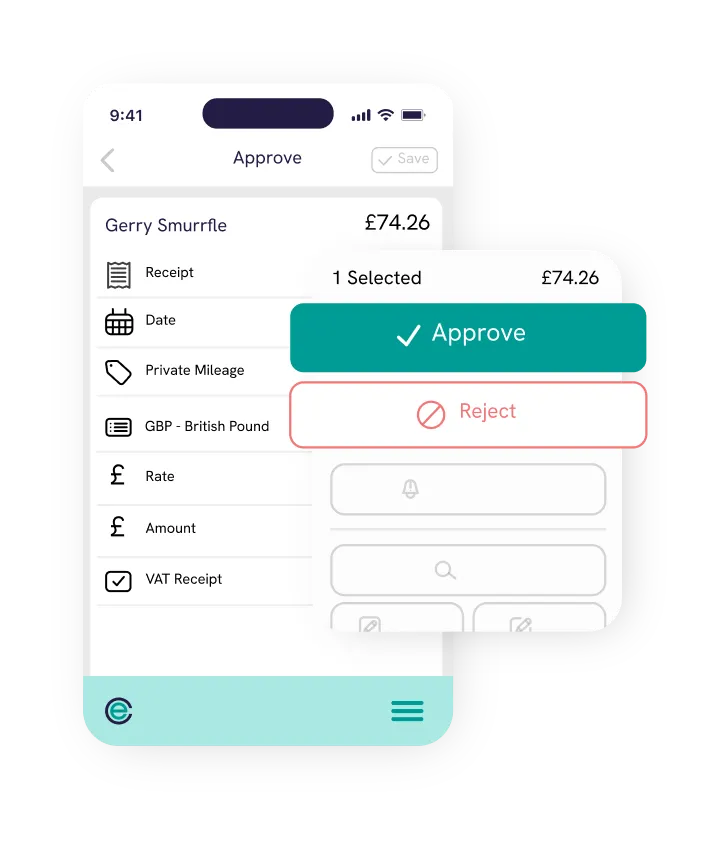
Approvers get bundled notifications, in-app alerts and copilot messages, and can approve on mobile, on the web, or straight from Teams and WhatsApp. Receipts, alerts, history and Smart Audit reasons sit next to every line. Approval audit exports show timestamps for every stage so you can measure cycle times.
- Approve, reject with a reason, send back or send a reminder
- Approval insights highlight patterns and anomalies
- Auditor role with read-only access to everything
Book a demo
See approvals and policy on your own process in 30 minutes
Bring a couple of real claims and your finance system. We will show you how each one flows from receipt to ledger.
Rated 4.9 out of 5 on Capterra No credit card for the trial Reply within one working day
In detail
Everything in approvals and policy
-
Multi-level approvals
For expenses, pre-approvals, documents and timesheets.
-
Line manager stage
Dynamic routing from the claimant's profile.
-
Category workflows
Per-category Approval Records that override the default.
-
Out of office
Delegate approvals for a date range.
-
Company policies
Distribute policy documents and capture declarations.
-
Approval audit
Timestamped exports for cycle time and bottleneck analysis.
Trusted by finance teams across the UK and Ireland




























Questions
Frequently asked questions
Can't find what you're looking for? Talk to us and we'll answer within a working day.
What happens when a manager changes?
Can a category route to a different approver?
How do approvers keep up without being spammed?
Works with
Related parts of the platform
Smart Audit
AI checks every claim against policy, VAT rules and history, then approves, rejects or escalates with the reasons attached.
Learn moreMulti-entity
One platform for groups with several legal entities, currencies, charts of accounts and approval chains.
Learn moreExpense management
Receipts, claims, reimbursements and mileage without the admin, on web, mobile or chat.
Learn moreFrom the blog
Further reading
- Your easy to follow expense policy checklist An expense policy is like a rulebook for business expenditure. It provides explicit guidelines for your team on how to spend company money. Insights · Feb 2024
- How AI is Fixing the Problems with Approval Workflows Approval workflows often rely on multiple layers of manual review, with too much human intervention, here's how AI is changing that. Insights · May 2025
- Travel Expense Policy Template & Guidelines A travel expense policy is like a rulebook for your business trips. Learn what a policy consists of and our guidelines when creating one. Insights · Dec 2024
- Company Expense Policy Template and Guidelines Managing business expenses can be tricky without clear guidelines. Read on for a step-by-step guide on creating an expense policy template. Insights · Aug 2024
Model your approval structure in the demo
Tell us how approvals work today and we will show you the same structure, running, in 30 minutes.
Rated 4.9 out of 5 on Capterra No credit card for the trial Reply within one working day